
Waitlisting
Waitlisting is a process where a student can “wait in line” electronically through their myUTSA Account for classes that have met their set maximum enrollment (closed).
Get On The List
Add yourself to a class waitlist during Registration
in myUTSA Account.
Check Email Daily
You’ll be notified by email IF a seat becomes available in the class.
Register for Class
Register in myUTSA Account for the waitlisted class before the deadline.
Being on a waitlist does NOT guarantee registration in the class.
- Waitlisting is available on selected courses only.
- Your position on a class waitlist is on a first-come, first-served basis.
- Registration from a waitlist is not automatic. Check your email daily; if you receive a notification, you will have to log into myUTSA Account and register within 24 hours or lose your position on the waitlist, or if during late registration, you must register within 12 hours. Note: Notifications can occur at night, on the weekends and during holidays.
- Check your holds in myUTSA Account. With most holds, you will be unable to add yourself to a class waitlist or register from a waitlist – even if you have received a notification.
- Be considerate and remove yourself from a waitlist if you no longer want the class.
When Can I Waitlist?
Fall and Spring: Waitlisting begins when registration begins and ends approximately 3 business days before the deadline to add a class or late register. Please see the appropriate Academic Calendar for the term in which you are interested.
Summer: Waitlisting is not available for summer terms shorter than four weeks. Summer Waitlisting begins when summer registration begins and ends approximately two days before the start of the term.
How to Add Yourself to a Waitlist.
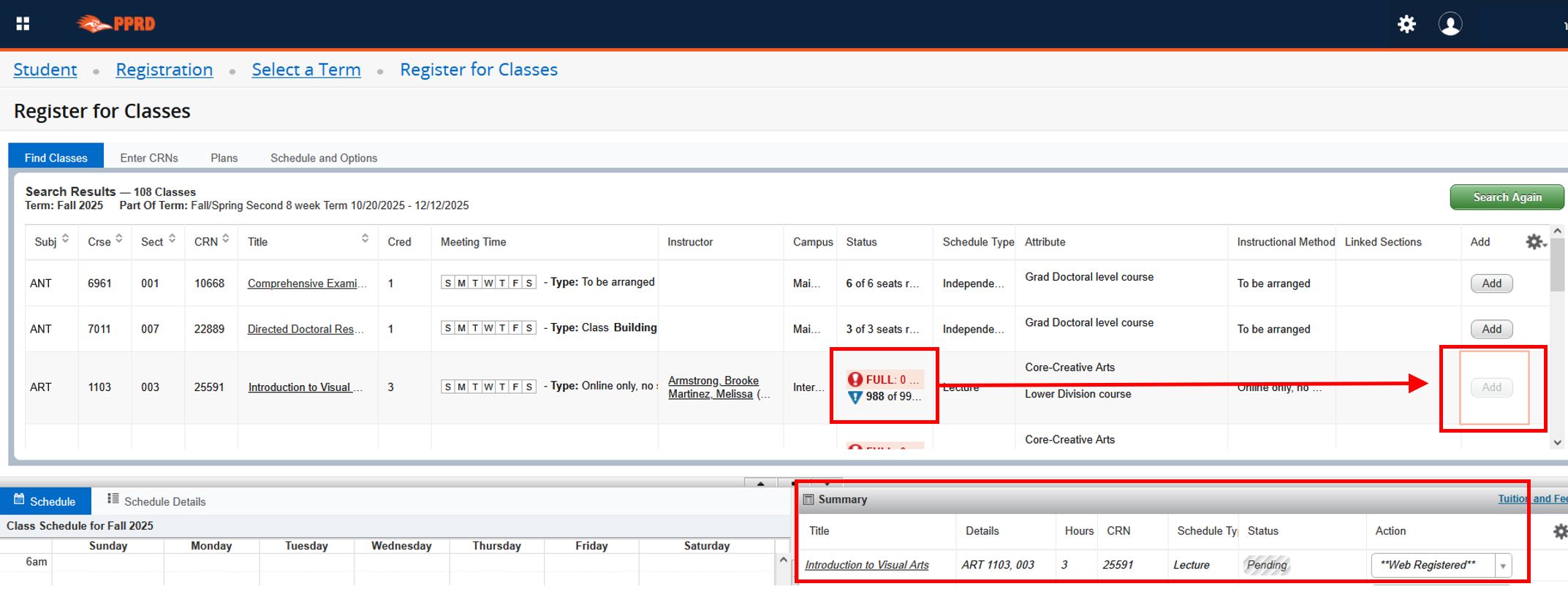
Waitlisted courses show “Full” in red, along with a blue triangle icon under Status. If you want to add yourself to the waitlist, complete the following steps:
Click “Add” so the course displays in the Summary section with a “Pending” status, and under Action it will “Web Registered.”
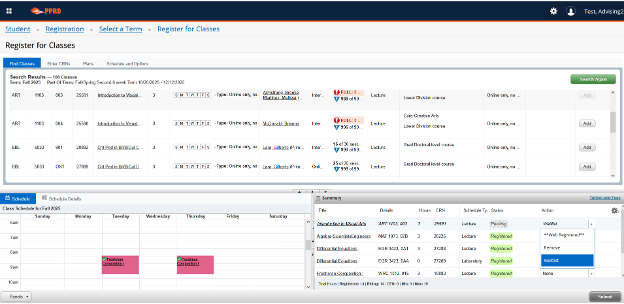
Click drop down button under Action and select “Waitlist,” then click Submit.
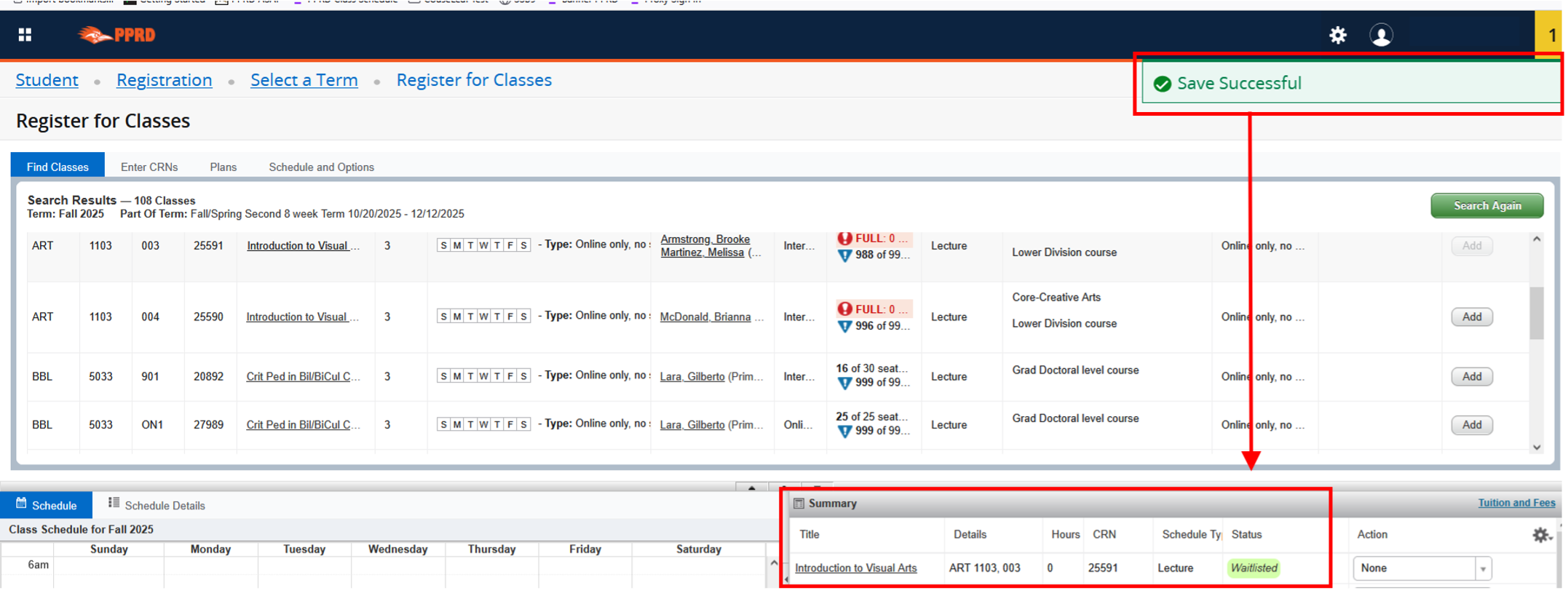
You will see a “Save Successful” notification at the top and the status will change to Waitlisted. If a spot becomes available and you’re next in line, you’ll receive an email to your university email address. Check your email often! Notifications can occur on weekends and holidays, and there is a deadline in the email to register for the course.
Important Note: If you submit with action as “Web Registered” from Step 1, you will receive an error that the course is a waitlisted course. You must continue to Step 2 to successfully waitlist for the course.
The Waitlist Program is a collaboration between the Office of the Registrar and the Student Government Association.
If you have any questions, please contact the Office of the Registrar at [email protected].